uAttend JR2000 Fingerprint Time Clock Terminal
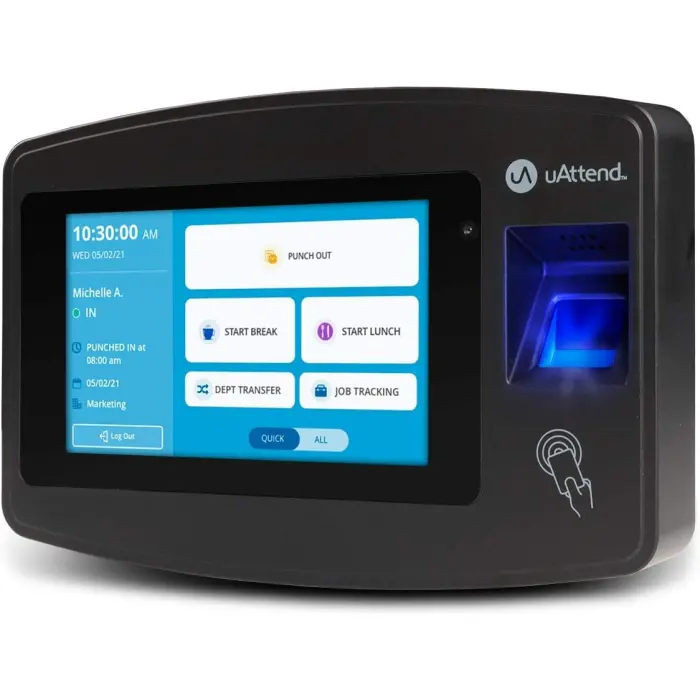
$159.99 - In Stock on Amazon
TCD REVIEW
We rate the uAttend JR2000 3.6 out of 5 stars.
FEATURES
- Advanced Time Tracking The uAttend JR2000 makes employee time tracking effortless and accurate, powered by a cloud-based system designed for business efficiency.
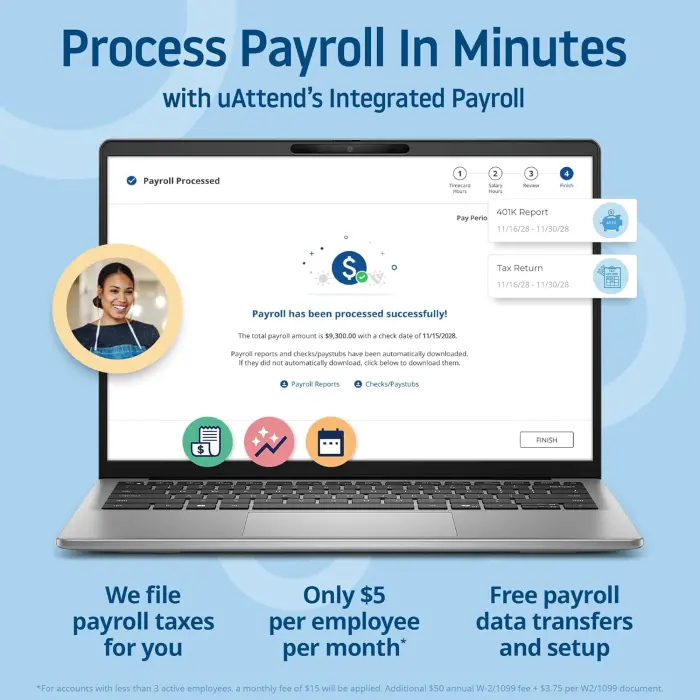
- Complete Payroll Tasks with Ease With uAttend, we automate payroll with time and attendance data, handle tax filings, and make switching easy.
- Real-Time Data Access View, track, and manage employee attendance in real-time from any device, providing flexibility and control no matter where you are.
- Easy Setup & User-Friendly Interface Enjoy an intuitive interface and straightforward setup process, making it accessible for any team, from first-time users to tech-savvy managers.
- In-Depth Reporting Capabilities Gain valuable insights into attendance trends, productivity, and labor costs with our comprehensive reporting tools.
- Data Security & Automatic Backup Keep your employee data secure and always available with automatic cloud backups, providing peace of mind and reliable access when you need it.
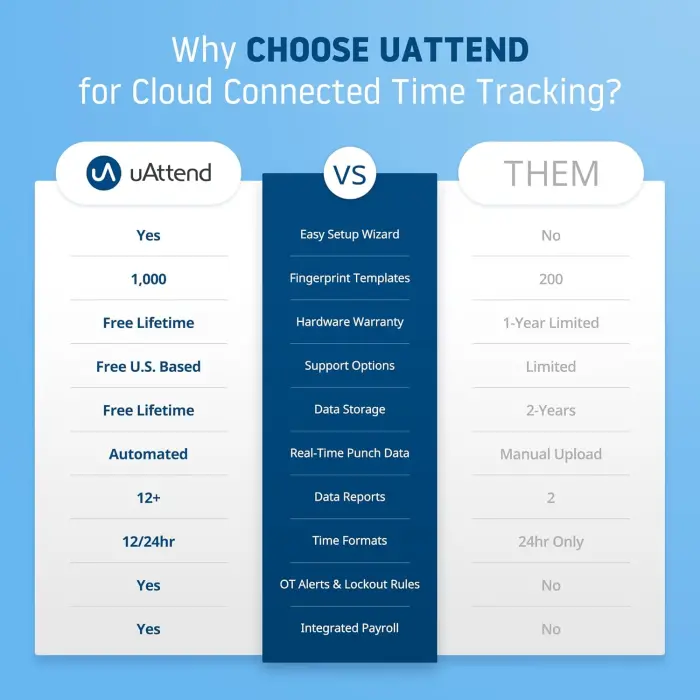
- Feature-Rich Cloud Service Unlike free options, our low-cost subscription service brings premium features like robust reporting, real-time data access, and remote management, designed to meet the needs of growing businesses.
PRODUCT DETAILS
- 397 Amazon Reviews
- Currently Ranked 5 In Time Clocks
- 200 Sold In Last 30 Days
- Brand: uAttend
- Model: JR2000
- UPC: 650003988333
- Seller: Workwell Technologies
- Ships From: Amazon
SPECIFICATIONS
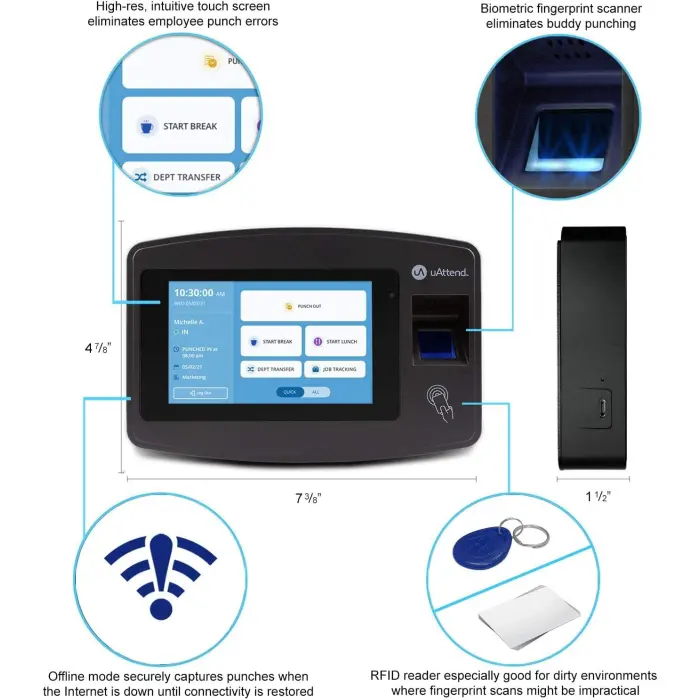
- Weight: 1.92 pounds
- Dimensions: 7.37W x 4.87H inches
- Introduced: January 30, 2020
WHAT CUSTOMERS THINK
Customers have mixed opinions about the time clock's ease of use and usability, with some finding it straightforward while others consider it difficult to use. The fingerprint recognition system frequently fails to identify fingerprints, and customers report reliability issues with the device not working after 6 months of use. Additionally, the connectivity receives negative feedback, with one customer mentioning constant connection losses.


As an Amazon Associate, we earn commission from qualifying purchases.